Documents with lines
Invoice, act, delivery note, receipt, contract. Lines with quantity, price and VAT, draft or posted state, duplication, archive and bulk change of project or counterparty.
Keep invoices and acts, link payments to them, and run expense requests through an approval chain with clear responsibility at each step.
The documents and approvals module in Financist stores invoices, acts and delivery notes, links payments to them and shows automatically whether a document is paid in full or in part. Expense requests follow a configurable approval chain: approvers, payer and document recipient. Once paid, a request creates a real transaction in your books.
A document in Financist is a record of a business event with a counterparty: an invoice, an act, a delivery note, a receipt, a contract or another file. It has a number, a date, lines with quantity, price and VAT, attachments and linked payments. An expense request is an employee’s request for payment that must be approved before the money leaves an account.
Together they close a common gap in small businesses: the invoice sits in an inbox, approval happens in a messenger, and the payment is later lost in a spreadsheet. Here the invoice, the decision and the payment are connected in one chain, and the payment calendar sees what needs to be paid and when.
A document does not carry a manual “paid” flag. Its status (unpaid, partially paid, paid) is derived from linked transactions: the system compares the document amount with the sum of linked payments. Only a compatible transaction can be linked: a purchase is paid by an expense, a sale is settled by an income.
Invoice, act, delivery note, receipt, contract. Lines with quantity, price and VAT, draft or posted state, duplication, archive and bulk change of project or counterparty.
Prefix and suffix with year and month tokens, a zero-padded counter, reset yearly or monthly. Numbers are issued automatically and a duplicate within a type is blocked.
A regular document, such as monthly rent, can be generated from a template. Overdue templates are run with a button.
Steps: initiators, approvers, payer, document recipient. Approvers act as “any one” or “all”, steps run in sequence or in parallel. Conditions by amount, category, project and currency.
Create, approve, reject or return with a mandatory comment, recall, resubmit. Everything is recorded in the request history.
An in-app event feed: approval requested, decision made, paid, documents requested. A manager can send reminders for stages that have waited too long.
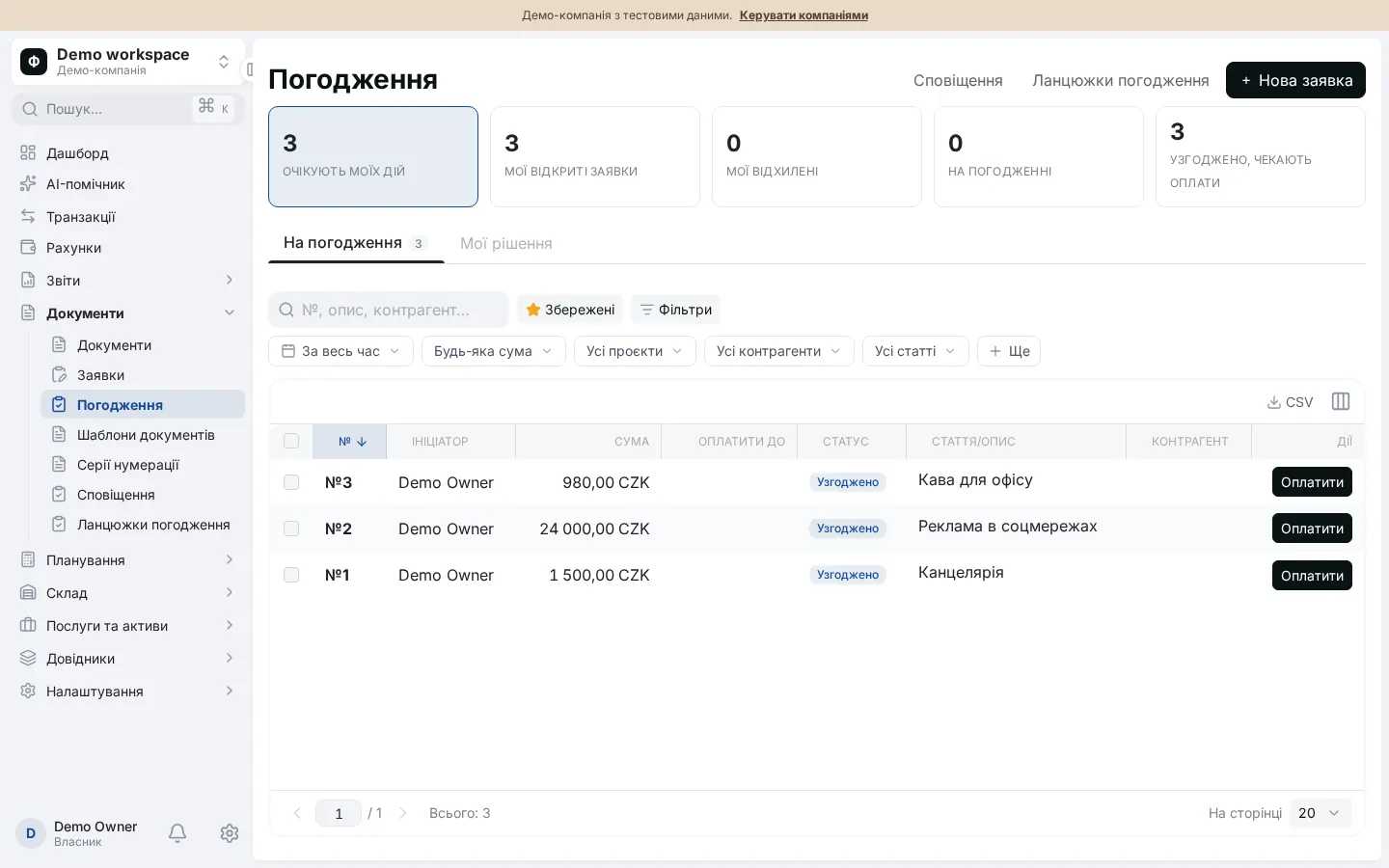
An example of the full cycle from request to closed documents.
They enter the amount, account, category, project and counterparty, and attach a document and files. Financist suggests the chain that fits the conditions, or you can pick one manually.
Each approver sees the request in their inbox. Rejecting or returning without a comment is not possible. The initiator does not approve their own request unless the chain explicitly allows it.
The payer picks an account in the request currency. Financist creates a real expense transaction with category, counterparty and project, and links it to the document.
If the chain requires it, the request waits for the original documents. The document recipient closes it and the cycle is complete.
Access is split by permission: viewing documents, managing them, creating requests or managing chains can be given to different roles, see team and access. Stock, services and fixed assets are covered on the inventory and assets page.
What the module does not do: it does not generate printed forms or PDFs for invoices and acts, and notifications are shown in the app rather than sent by e-mail.
Yes. You link actual transactions with the same counterparty and a compatible direction: a purchase is paid by an expense, a sale by an income. Several payments can be linked to one document, or an amount can be split. The payment status (unpaid, partially paid, paid) is calculated by the system.
In the chain you set conditions: minimum and maximum amount, categories, projects, currency and validity period. When an employee creates a request, Financist picks the matching chain by priority. Steps can have their own conditions and are skipped if the request does not match.
The approver must write a comment. The request gets the status “rejected” and goes back to the initiator, who can fix it and resubmit. A new approval round then starts on the current chain. Changing the amount, category or project of a pending request also restarts approval.
Yes. When the payer marks the request as paid, Financist creates an expense transaction from the chosen account with category, counterparty, project and a link to the document. Cash flow reports and the payment calendar include it immediately, with no re-entry.
Currently approval notifications appear in the app: an event feed and counters in the inbox. A manager can trigger reminders for stages that have waited too long. This module does not send e-mails.