Roles and 45 permissions
Four system roles and custom roles built from chosen permissions. System roles cannot be edited; a role that is assigned or has a pending invitation cannot be deleted.
Give everyone only the permissions they need, see who changed what, keep copies of your data and automate routine work with rules.
Financist controls access with roles built from 45 separate permissions: system roles and custom ones, restrictions by account and project, and invitations by link. It also provides personal API tokens, an audit log of changes, a workspace backup to file, auto-categorisation rules, in-app notifications and signed webhooks.
Management accounting holds sensitive data: account balances, salaries, supplier payments. That is why in Financist every action is checked against permissions. Permissions are grouped into roles: a role is a set of 45 individual permissions, and an employee has one role in a company. On top of that you can restrict visibility to specific accounts and projects.
For control and safety the product has an audit log (who changed what and when) and a data backup. For routine work there are automation rules that assign a category, project or counterparty by themselves. For connecting other systems there are API tokens and webhooks.
You enter an e-mail address and a role and the system creates a single-use link valid for 7 days. Financist does not send e-mails: you pass the link on yourself. The employee sets a password and joins the company. The company owner cannot be removed or changed, nobody can change their own role, and you can grant only permissions you hold yourself, so an Administrator cannot create an Owner role.
Four system roles and custom roles built from chosen permissions. System roles cannot be edited; a role that is assigned or has a pending invitation cannot be deleted.
An employee can be given access to selected accounts and projects only, so other balances and transactions stay hidden from them.
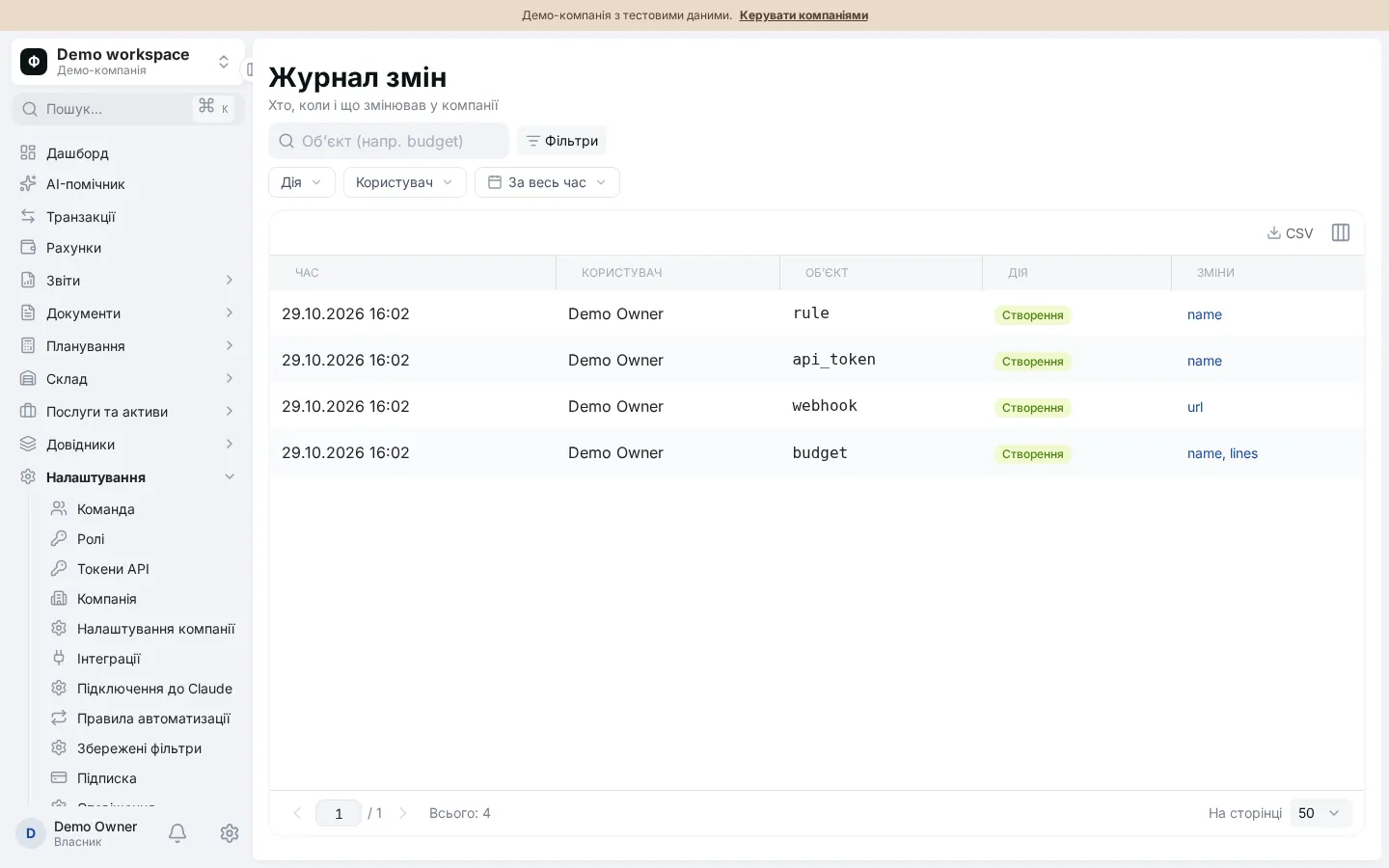
Records changes to roles, employees, tokens, settings, rules, integrations and budgets, plus assistant actions and Claude connector calls. Filter by entity, user, action and period.
Export all of a company’s business data as one JSON file, and import it with a full replacement of data after explicit confirmation.
Ordered rules by keywords, pattern, counterparty, account, type and amount range. Actions: category, project, counterparty, tags. A preview of changes comes before applying.
Personal tokens for scripts and Claude Code, signed webhooks with a delivery log, CSV import. Bank connectors are not implemented yet.
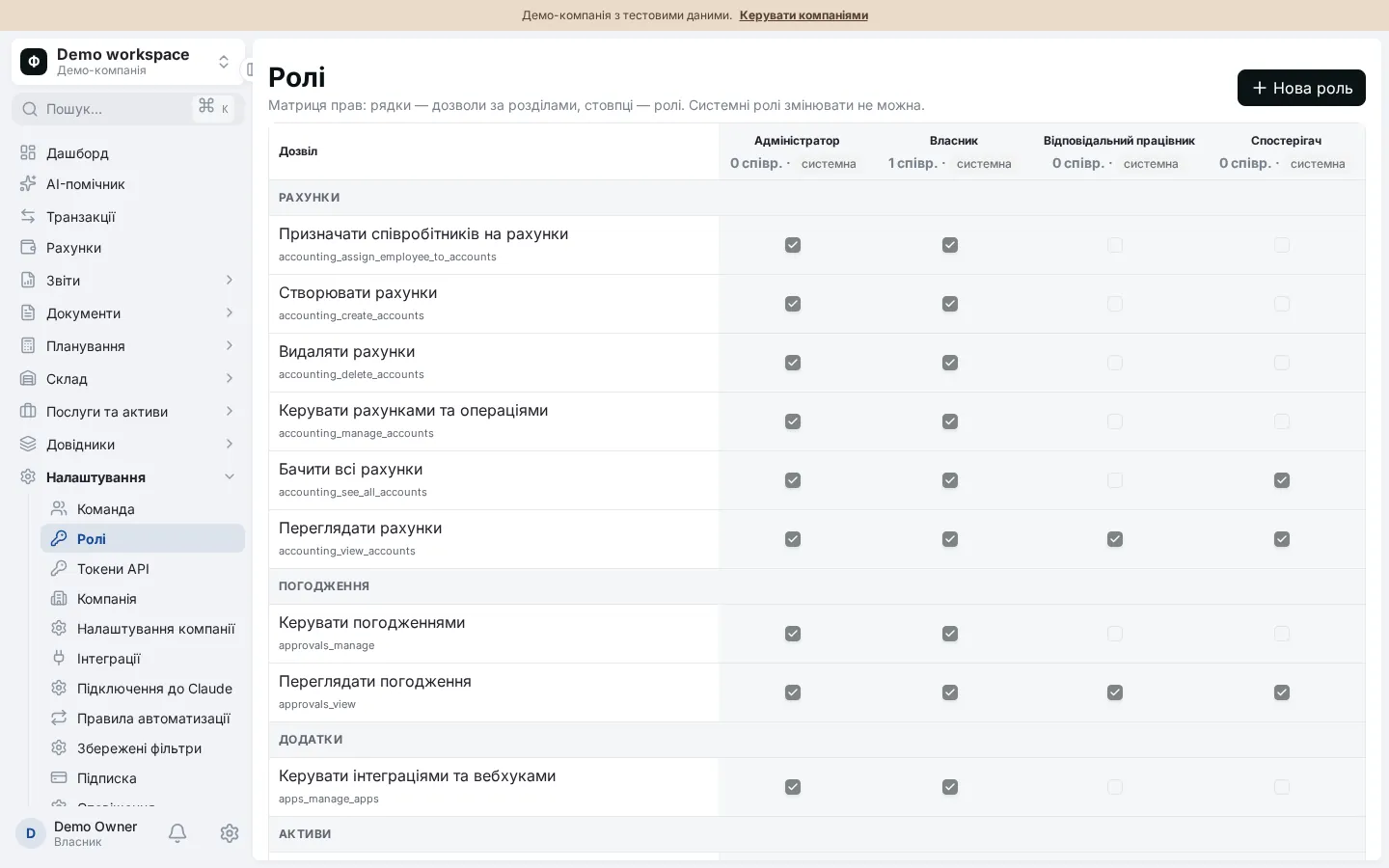
The standard roles are created together with a company. Custom roles can be built from any permissions you hold yourself.
| Role | Typical user | What it can do |
|---|---|---|
| Owner | Founder, managing director | All permissions, including subscription and company management |
| Administrator | Finance director, office manager | All permissions except subscription management and creating companies |
| Observer | Investor, consulting accountant | View accounts, balance sheet, budgets, documents, stock; changes nothing |
| Responsible employee | Manager, department head | Limited view: accounts, documents, requests, directories, dashboard |
A rule says: “if the description contains word X, or the counterparty is Y, or the amount is between A and B, assign this category and project”. Rules are ordered and the first matching rule wins for a transaction. By default applying a rule only fills empty fields and skips transfers. Before running rules over existing transactions you can preview the changes. The same rules supply category suggestions when statements are imported through Claude.
Events go to the in-app notification centre: budget approvals and results of AI assistant tasks; request approval events have their own feed in documents and approvals. You can mark items as read; e-mails are not sent.
The audit log is available to users who may manage settings. A backup contains a company’s business data but not users, roles, tokens, invitations, the subscription, the audit log, notifications or webhooks. Assistant conversations and memory are not part of a backup either. Importing a backup replaces the current company’s business data, so it requires two confirmations.
CSV import with a dry-run check is available. Webhooks are sent to your service with an HMAC-SHA256 signature, every attempt is recorded in a delivery log, and there is a test message and secret rotation. Localhost and private-network addresses are refused. At present the system sends, among others, the budget approved event.
This suits owners who delegate bookkeeping to a team and accountants who work with several companies: Financist lets you create several companies and switch between them.
Four system roles: Owner, Administrator, Responsible employee and Observer. You can also create custom roles from any combination of the 45 permissions. A role grants rights to view and change accounts, reports, documents, stock, budgets and settings. System roles cannot be edited. Access to accounts and projects is restricted separately.
Yes. Besides the role, an employee can be given only selected accounts and projects, and then sees balances, transactions and totals for them alone. This also applies to the AI assistant, which reads data within the user’s permissions.
The system records changes to roles, employees, invitations, tokens, settings, rules, integrations, webhooks, backups and budgets, plus AI assistant actions and Claude connector calls. Records can be filtered by entity, user, action and period. Users who may manage settings can view the log.
A backup is a JSON file with all of a company’s business data. It does not include users, roles, tokens, invitations, the subscription, the audit log, notifications or webhooks. Importing replaces the current company’s business data, so the app parses the file, shows record counts and asks for two confirmations.
No. An invitation is a single-use link valid for 7 days that you pass to the employee yourself. Notifications about approvals, budgets and assistant tasks are shown in the app. For external systems there are signed webhooks you can connect to your own services.