Separate conversations
Every chat is its own thread: search, pin, rename, archive. Other users’ threads are never visible. Answers stream in, and you can stop or regenerate them.
A chat inside the app reads your accounts, transactions and reports and answers from real figures. It writes changes only after your explicit confirmation.
The Financist AI assistant is a chat inside the app that answers questions about your money using real accounting data: accounts, transactions, reports and budgets. It remembers your company’s terminology, runs background checks on a schedule and suggests categories. It changes your books only after you explicitly confirm each change.
The assistant is a conversational interface to your management accounting. Instead of opening reports and filtering transactions, you ask: “How much did we spend on marketing this quarter?”, “Which payments are overdue?”, “How many months of cash do we have?”. The assistant runs the same calculations that power the cash flow statement, the payment calendar and the business health indicators, and replies with a table or a short text.
It sees only what your role allows. If a user has no access to an account or a report, that data will not appear in the answer either.
Open-ended conversation is powered by the Claude language model from Anthropic, which requires a model access key configured on the server. Without a key the assistant falls back to a limited rules mode: it recognises typical requests by keywords and periods and calls the same read tools, but it cannot hold a free-form conversation. The chat shows which mode is active. A daily token limit per company can be set in the settings.
Every chat is its own thread: search, pin, rename, archive. Other users’ threads are never visible. Answers stream in, and you can stop or regenerate them.
Accounts, transactions, cash flow, P&L, balance sheet, debts, payment calendar, dashboard, business health, budgets, documents, expense requests and stock levels.
Personal and shared notes: facts, preferences, rules, glossary. The assistant can learn counterparties and categories from your data and shows you what it will remember first.
A weekly digest, watches on conditions (cash below a threshold, category overspend, a large transaction, overdue receivables or payables) and any question on a schedule.
It proposes categories for uncategorised transactions and matches planned items to actuals. You accept or reject each one, or approve in bulk above a confidence threshold.
It can create or change a transaction, bulk-assign categories, mark transactions reconciled, and add a category, counterparty, project or tag. A preview always comes first.
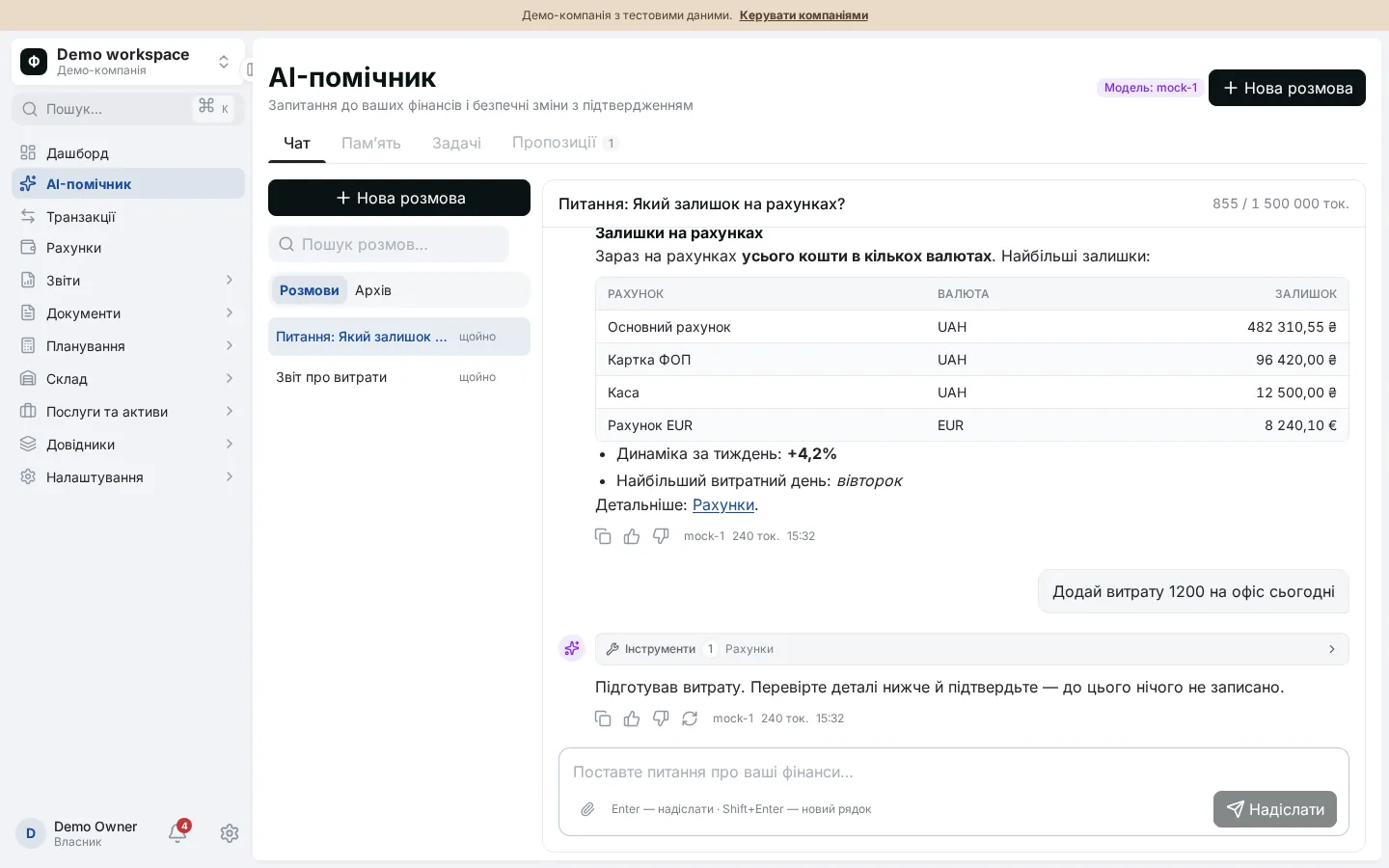
Writing to the books is protected by a double confirmation.
For example: “Add a 1,200 rent expense from the main cash account”.
A write tool called without confirmation changes nothing. It returns a card describing what would be created or changed.
Confirmation is a separate message in the next turn. The system will not apply a change unless the preview was shown in an earlier turn.
The transaction is saved and the action appears in the audit log. Background tasks never write to the books; they only add suggestions to the queue.
By default the assistant is available to the Owner and Administrator roles; for other roles the permission can be granted in access settings. Bank statements are not uploaded in this chat: that is what the Claude connection is for. Chat attachments are stored as labels only, and the assistant does not read their content.
Only after you confirm. The assistant first shows a preview of the change, and you approve it in a following message. Background tasks never write to the books: they only add suggestions to a queue that you accept manually. Auto-accepting suggestions works only if you set a confidence threshold yourself.
For open-ended conversation, yes: the server needs a configured access key for the Claude language model. Without it the assistant runs in a limited rules mode that answers typical requests (balances, totals for a period, top categories) but does not hold free-form dialogue. The chat shows the active mode.
Only your company’s data, and only within your role’s permissions. Conversations and personal memory are visible only to their owner. If a role has no access to certain accounts or reports, the assistant cannot read them and will not show them in an answer.
Scheduled or one-off jobs: a weekly digest, a watch on a condition (for example, cash below a threshold), a free-form question, or a search for categories for uncategorised transactions. Schedules use a preset (hourly, daily, weekly) or a cron expression. Results arrive as in-app notifications.
Not in the built-in chat, where attachments are stored as labels only. Statements are parsed by Claude through a separate connector: it reads the file, shows a preview and imports the transactions after you confirm. See the Claude connection page.